
Tufte CSS Layout Lab
Tufte CSS Layout Lab
本文是 Tufte 风格在 Fluid 主题中的回归测试页,结构参考官方
tufte-css演示文档。
Getting Started
Tufte CSS 强调“正文优先 + 边注辅助”。在这个实验页里,我们会同时验证标题层级、段落节奏、边注布局、代码、图表与移动端折叠行为。这是一个基础 sidenote:用于验证正文右侧边注是否在桌面端稳定落位。
你可以把这页当作日后每次样式调整后的 smoke test 页面。这是一个 marginnote:没有编号,移动端应通过 toggle 展开。
Fundamentals
Sections and Headings
如果你在文章里使用到多个层级标题,应关注两点:
h2/h3的字号比例是否平衡。- TOC 激活态是否正确跟随滚动。
“Good design is clear thinking made visible.”
— Edward Tufte(意译)
Body Text Rhythm
正文测试段落 A:这是为了观察行高、字距、段间距与链接风格。
正文测试段落 B:链接样式示例 tufte-css 项目主页。
正文测试段落 C:再加一个边注用于观察长文本换行。长边注测试:当注释内容较长时,边注不应溢出纸张,并且与正文段落在视觉上维持邻近关系。
Sidenotes and Marginal Notes
Sidenote 示例:在句中插入脚注式边注sidenote 在桌面端应浮动到正文右侧栏,移动端默认折叠。,并继续正文叙述。
Margin note 示例:你也可以用符号触发的边栏注这是 margin note,适合补充说明、来源备注或术语解释。来减少编号干扰。
下面是一组连续段落,检查边注密集场景:
第一段,包含一个短边注。短注。
第二段,包含一个中等长度边注,测试行长与间距。中等长度边注,用于观察多行折行与阅读节奏是否自然。
第三段,不含边注,用于看版面恢复。
Figures and Media
图片应和正文有良好对齐关系,且不应打破纸张视觉边界。
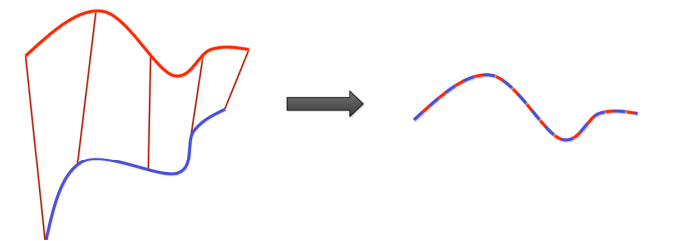
图后说明段落:上图主要用于检查图片宽度、圆角、边距和暗色模式下可读性。如果后续你想要 full-width figure,可以在单独样式层里扩展,不建议直接污染正文默认流。
Code and Formula
内联代码测试:label.margin-toggle、span.sidenote、span.marginnote。
1 | |
数学公式测试:
E(R, t) = ∑i∥Rpi + t − qi∥2
Gauss-Newton 迭代形式:
Δ = −(JTJ)−1JTr
Table and Lists
| Item | Expectation | Result check |
|---|---|---|
| TOC hidden state | off-canvas, no peeking | visual |
| TOC expanded state | full-height translucent panel | visual |
| Sidenote desktop | inside paper width | visual + box metrics |
| Sidenote mobile | collapsed by default | interaction |
- 列表层级测试
- 二级项目 A
- 二级项目 B
- 末项用于观察行距
Epigraph Style Block
The simplest explanation is usually the best.
Keep hierarchy shallow, prose readable, and notes adjacent.
这个区块用于观察 blockquote 的字重和左边距在当前主题中的表现。
Regression Checklist
每次改动后,至少检查以下内容:
- 桌面端 TOC 默认隐藏、触边展开、导航层始终盖在 TOC 之上。
- 桌面端正文与边注整体居中,边注不越出纸张。
- 移动端 TOC 回退隐藏,sidenote 默认折叠。
- 标题区(hero + 标题 + meta)比例保持稳定,不出现挤压或截断。